
Blu-ray players are still in their infancy, and there has been little to differentiate the initial round of releases. There are a couple minor feature differences here and there, but for the most part they're all pretty similar. The Pioneer BDP-HD1 ($1,500 MSRP) is one of the first Blu-ray players to break out of the mold, adding network media-playing capabilities to the standard Blu-ray features. It has the ability to output Blu-ray at 24 frames per second, the frame rate at which almost all films are made. There are only a few displays that can accept this format, and it's supposed to offer improved picture quality, but during our testing we found this highly anticipated feature wasn't the holy grail some videophiles were hoping for.
Like all the Blu-ray players we've reviewed so far, the BDP-HD1's ultimate flaw is its extremely high price, even for Blu-ray standards. While the price can somewhat be justified by the networking capability and its ability to output 1080p at 24 frames per second (1080p/24), this argument is harder to make considering the fact that the BDP-HD1 can't play CDs and has less than stellar DVD upconversion. Not to mention the fact that you can pick up a Sony PlayStation 3 for a third of the price. Don't get us wrong, the BDP-HD1 is definitely a capable Blu-ray player and there's a lot to like, but we couldn't help but feel like it didn't live up to its $1,500 price tag.
Design
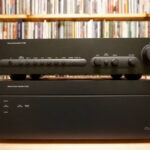
The styling on the BDP-HD1 is nice, although perhaps a little bland. The front panel is glossy black, and there's an LED display to the far right. There are a couple of unobtrusive front-panel lights, but home-theater enthusiasts will be happy to know that they can be dimmed or even turned off. On the bottom half is a flip-down tray, and two buttons can be accessed without flipping it down, Power and Play. Flip down the tray, and there are several more controls, including a handy navigation pad and chapter forward/backward controls.
The remote will be familiar to anyone who has used a Pioneer DVD player. Overall we found it relatively easy to use, with the buttons in logical places and pretty good differentiation between them. It's not backlit, but neither are the remotes of other Blu-ray players we've tested.

The setup menu itself is easy enough to use, although we would have liked to see some improved high-definition graphics, like those seen on the Philips BDP9000. We especially like the way the menu handles high-definition audio. It eschews the traditional method of letting the user choose between the confusing terms of "bitstream" and "PCM" and instead offers a choice between, say, Dolby or Dolby converted to PCM. It's a slight change, but we welcome any attempt to simplify confusing next-generation audio issues.
The graphics on the Home Media Gallery function are a little better than those on the setup menu, and we found the interface easy to interact with. Sometimes it was a little slow–especially when we were switching between different types of media–but manageable overall.
Features
The primary functionality of the BDP-HD1, of course, is the ability to play Blu-ray discs and, secondly, standard DVDs. On the audio side, however, the BDP-HD1 is lacking; it can't play back standard audio CDs or either of the high-resolution audio formats, SACD or DVD-Audio. Though lack of SACD or DVD-Audio support isn't a big deal, not being able to play CD is definitely an annoyance, because you'll need to have another disc player on hand for your CD collection.
 The Pioneer's support for next-generation, high-resolution soundtracks is average, which means that it can't decode formats like Dolby Digital Plus, Dolby TrueHD and DTS-HD in their highest resolution. On the other hand, it can handle uncompressed multichannel LPCM soundtracks, which are also included on some Blu-ray titles. Since it lacks HDMI 1.3, it won't be able to send Dolby TrueHD and DTS-HD in the encoded bitstream format, which some A/V receivers in the future may be able to decode.
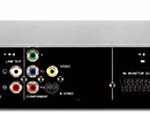
Connectivity is basically the same as what's on most Blu-ray players on the market. The HDMI output is the most important connection, which is capable of carrying 1080p video signals, plus the new high-resolution multichannel surround audio soundtracks. There's also a component video output–which is capable of outputting resolutions up to 1080p with Blu-ray discs, although DVDs are naturally limited to 480p–as well as S-Video and composite standard-definition video outputs. On the audio side, the BDP-HD1 has both optical and coaxial digital audio outputs, along with analog 5.1 multichannel outputs and a stereo output. There are also a couple of additional ports for IR control.
The big connectivity addition for the BDP-HD1 is the Ethernet port, which enables its Home Media Gallery function. The gallery extends the functionality of the BDP-HD1 beyond just a standard Blu-ray player, making it part network media player as well. The unit is capable of playing movies, music, and photos over the wired connection. File format support is pretty basic: WMV and MPEG for movies; MP3, WMA, and WAV for music; JPEG, PNG and GIF for images. All we needed to do was run the Windows Media Connect software on our PC, and it worked like a charm. There is no indication as to whether this port can be used to update the firmware.
The BDP-HD1 is also one of the first products we've seen with the DLNA (Digital Living Network Alliance) certification. In theory, this means that the BDP-HD1 should be able to display content from other DLNA-certified products on the network. Unfortunately we didn't have any DLNA-certified products on hand to test this, but it could become a more useful feature when there are more DLNA-certified products on the market.
Performance
We started off testing the Pioneer BDP-HD1's performance as a network media player and were mostly happy. We had some high-definition WMV files on our computer and were able to stream them over the BDP-HD1 to an HDTV without a hitch. MP3, WMA, and WAV files were also not an issue, and we found the organization of the files easy to browse. We did run into a problem getting JPEGs to show up; only 1 photo out of a folder of 20 would show up. The JPEGs we had were of average size with short file names, so we're not sure what the problem was here.
Moving on to video quality testing, we were excited to test out the BDP-HD1's 1080p/24 output, and luckily we had the Pioneer Pro-FHD1 on hand. The Pro-FHD1 one of the few displays capable of accepting a 1080p/24 signal, and it can also change its refresh rate to 72Hz. Technical details aside, the supposed benefit of this combination is that the 24fps output paired with a compatible display can decrease judder.
Unfortunately, our testing seemed to reveal that this combination did not yield the expected results. In the beginning of Chapter 4 of Corpse Bride, there's a slow pan down over a window. With the Pioneer BDP-HD1 in 1080p/24 mode (called "source direct"), with ADV set to On for the Pioneer Pro-FHD1, we saw more judder on center window bracket than in 1080p/60 mode with ADV set to Off. It's not a night and day revelation–there is still some judder with 1080p/60–but after observing several movies in both modes, we definitely felt that 1080p/24 increased the amount of judder we saw, instead of decreasing it. Similar behavior can be seen toward the end of Chapter 4 on Aeon Flux on the bottom edge of the white building, as well as on Tears of the Sun, on the tail of the jet aircraft on Chapter 1. This is disappointing; we were looking forward to seeing decreased judder as it is a frequently occurring artifact that can take the viewer out of the movie experience. Unfortunately–at least with this combination–1080p/24 didn't deliver. We didn't have any other displays on hand that could accept 1080p/24, but we'll update this review after we check out the BDP-HD1 on Sony's VPL-VW50 projector in the next couple of weeks.
Aside from 1080p/24, the high-definition video quality of the BDP-HD1 was excellent. That's not to say it was better than the competition–we find the image quality nearly identical for all current Blu-ray players. Still, the detail and colors from movies like Crank, Tears of the Sun, and Corpse Bridge look phenomenal, and we don't think anybody will be disappointed with its Blu-ray image quality.

As most people purchasing the BDP-HD1 probably already have a collection of DVD movies, we tested its ability to upscale DVDs. We started off with Silicon Optix's HQV test suite in 1080i mode, and noticed that the BDP-HD1 wasn't able to pass the full resolution of DVD–the vertical resolution was a little soft. We switched over to 720p and 1080p, and things got worse; we saw some instability and flicker in the image. It didn't get much better as we went through the rest of the tests. It struggled with most of them, included the crucial 2:3 pull-down race car test. The BDP-HD1 does, however, have 2:3 pull-down detection, as we were able to see on the introduction to Star Trek: Insurrection with the bridge and the hulls of the boats being rendered smoothly. That's not to say the movie looked good though. Insurrection doesn't look that good to begin with, but we've seen a much better picture from better upscalers, such as the Oppo DV-981HD.
We were about to watch some scenes from Seabiscuit, but unfortunately the BDP-HD1 has some issues playing our copy of the disc. We followed this up by putting it through our full disc compatibility test, and overall the BDP-HD1 had more trouble than most players with our burned DVDs. The bottom line is that if you're looking for high-quality upscaling and consistent DVD playback, you're probably better off going with a different player, such as the Panasonic DMP-BD10 or the Philips BDP9000.
Finally, some of the complaints leveled against this first round of Blu-ray players are slow load and power-up times. The Pioneer BDP-HD1 suffers from the same problems, taking about 30 seconds for a picture to show up on the screen after we hit the Open/Close button. Starting with the BDP-HD1 powered down, it took us about minute before the disc we had in the player would start playing. While some players are better than others, the current standout is the PlayStation 3, which has very fast load times and almost-immediate chapter skipping.
The good:
Excellent picture quality on Blu-ray movies; plays movies, music, and photos over home network via an Ethernet port; DVD upconversion to 720p, 1080i, and 1080p.
The bad:
Very expensive; DVD upconversion isn't as good as the competition's; doesn't play CDs; no HDMI 1.3.
The bottom line:
The high-priced Pioneer BDP-HD1 offers top-notch Blu-ray image quality and some nice home networking features, but inferior DVD upconversion and no CD playback curbed our enthusiasm.
Performance Features
1080p Resolution
HDMI
Advanced GUI (Graphical User Interface)
Dolby Digital (R)surround sound processing
Multi-Format Playback BD-ROM,BD-R,BD-RE.DVD-Video, DVD-R, DVD-RW,DVD+R, and DVD+RW media
Home Media Gallery
IP Network Capability
Designed to DLNA Guidelines
Microsoft PlaysForSureTM Protected Content
Supported Formats – Video WMV, WMVHD, MPEG1, MPEG2, MPEG4-AVC, VCI
Supported Formats – Audio LPCM, MP3, WMA
Supported Formats – Photo JPG, PNG, GIF
Terminals
LAN (Ethernet 10/100BASE-T)
HDMI Terminal (Direct Digital Pixel DriveTM
Gold Plated Component Video Output
Gold Plated 2-Channel Audio Output
Gold Plated Coaxial Digital Output
Optical Digital Output
Control Terminals
Pioneer System Remote Terminal
IR Terminal
Dimensions
Dimensions – Inches 16-9/16 X 3-11/16 X 14-15/16 (WxHxD)
Weight 19lbs.13 oz.